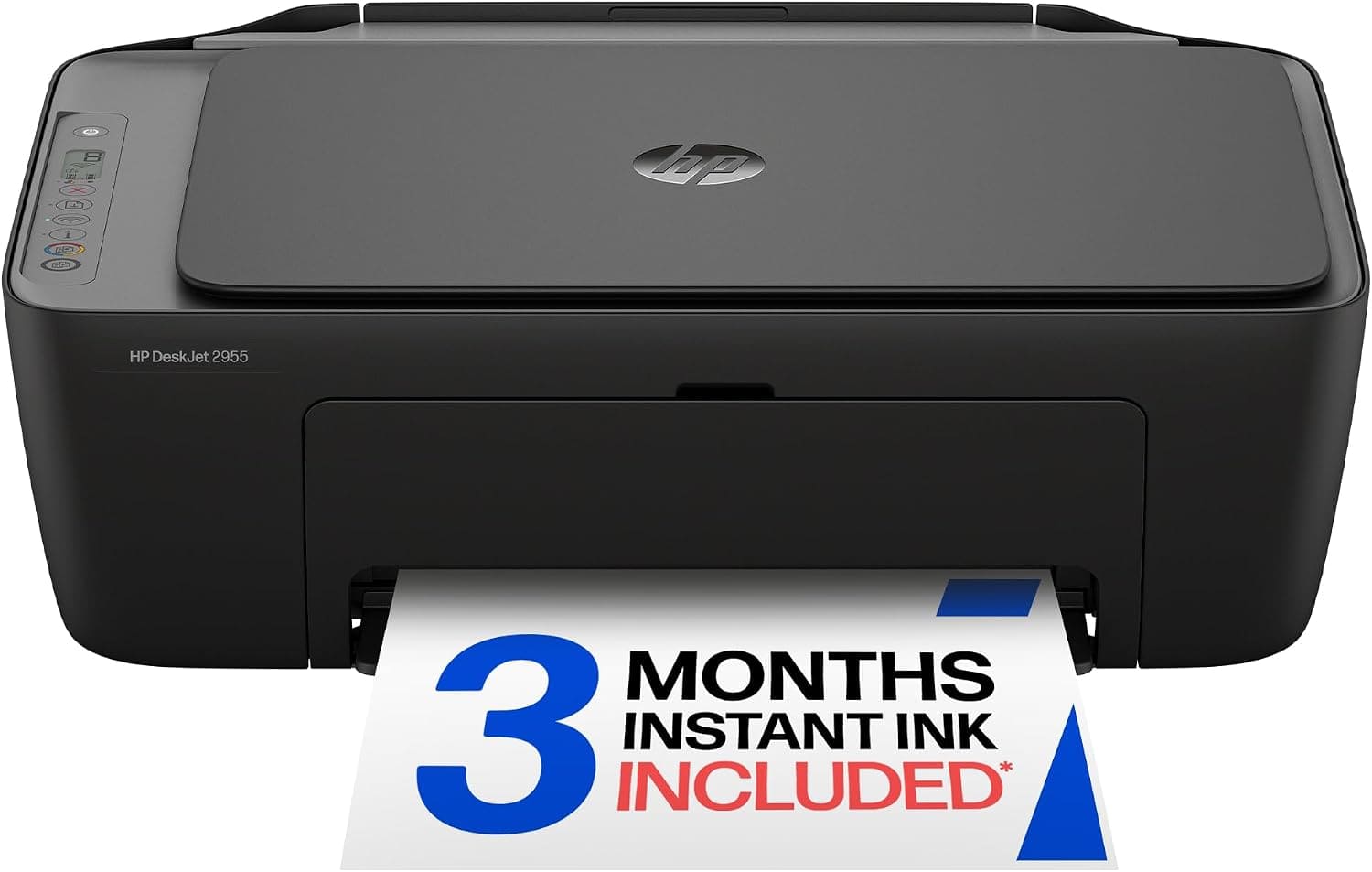
The Good and the Bad
Pros
- Prints, scans, and copies
- Wireless Wi-Fi connectivity
- Works with phones and tablets
- Supports Apple AirPrint and Mopria
- USB connectivity available
- Wireless Direct printing
- Color printing
- Compact design for home use
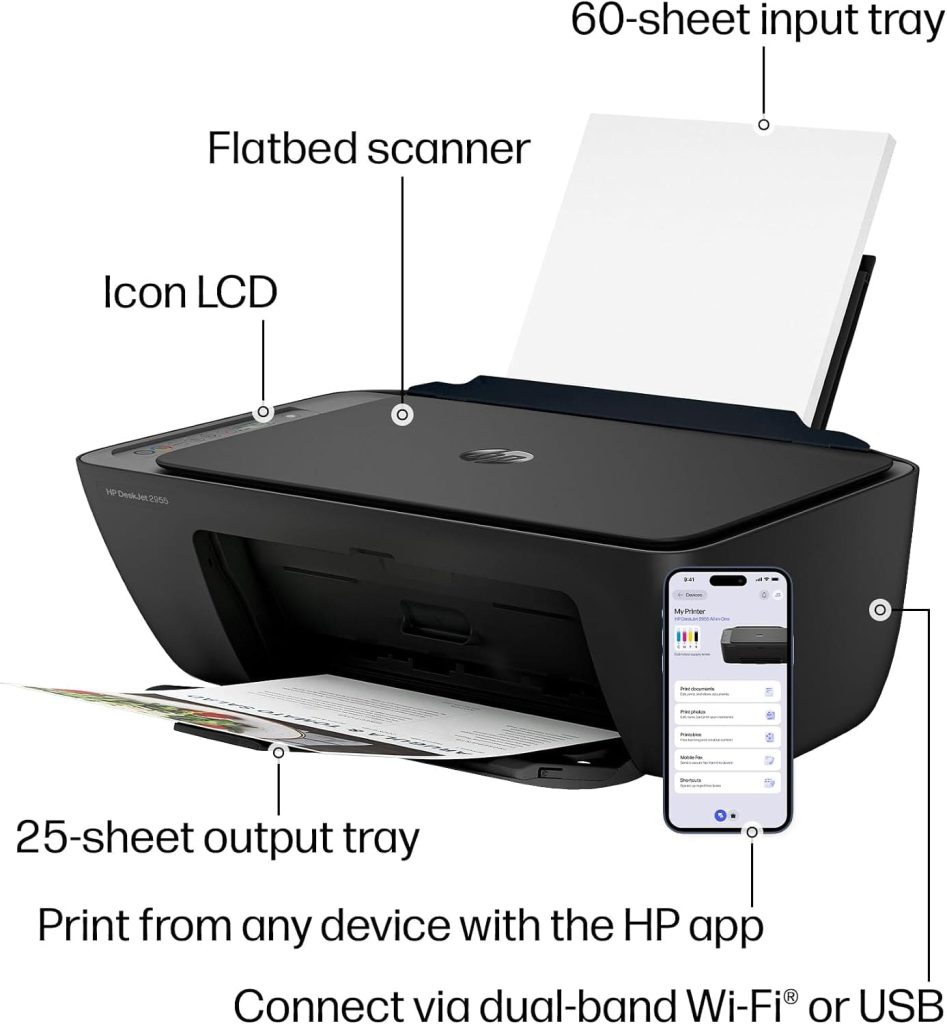
- 60-sheet input tray
- HP AI features for print formatting
- Simple icon LCD control panel
- Automatic Wi-Fi connection troubleshooting
- HP app supports printing, scanning, copying, and faxing
- 3-month Instant Ink trial included
- Made with at least 70% recycled plastic
- ENERGY STAR certified
- EPEAT certified
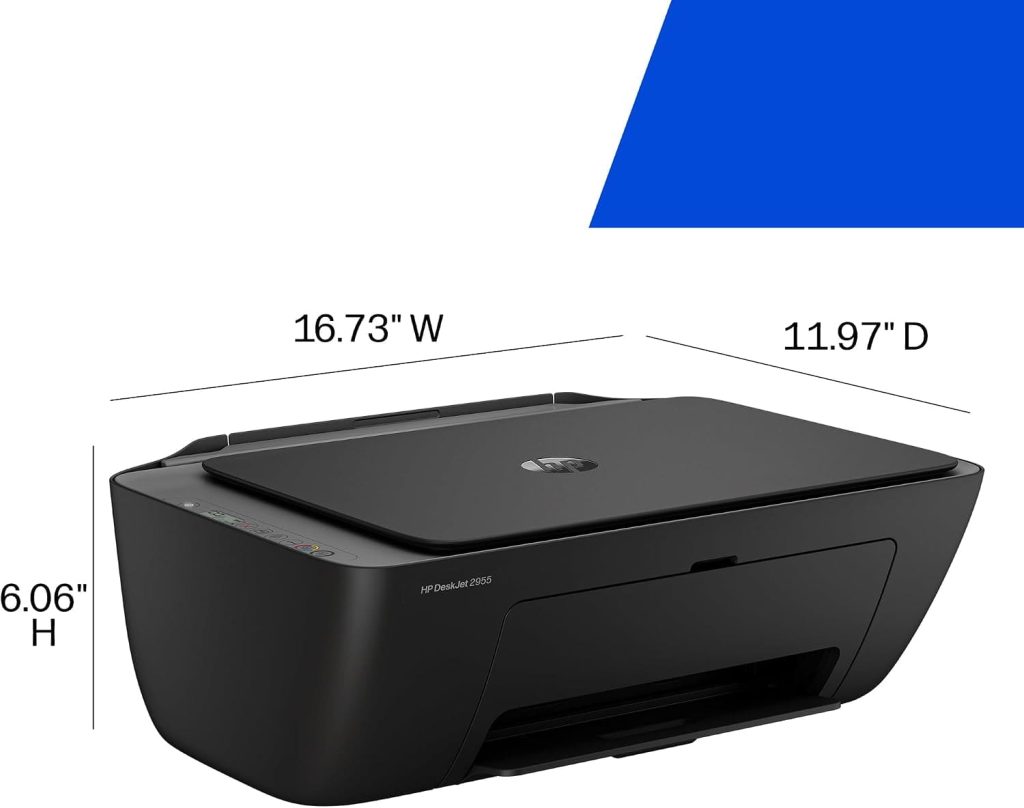
- Lightweight at 7.55 pounds
Cons
- Printing speed is relatively slow
- Color printing reaches only 5.5 pages per minute
- Black printing reaches 7.5 pages per minute
- Designed mainly for basic home printing
- Instant Ink becomes a paid monthly service after the trial unless cancelled
- A 60-sheet input tray is limited for larger print jobs
- Ink cost should be considered before buying
- Not the best choice for high-volume printing
Who Is This Printer For?
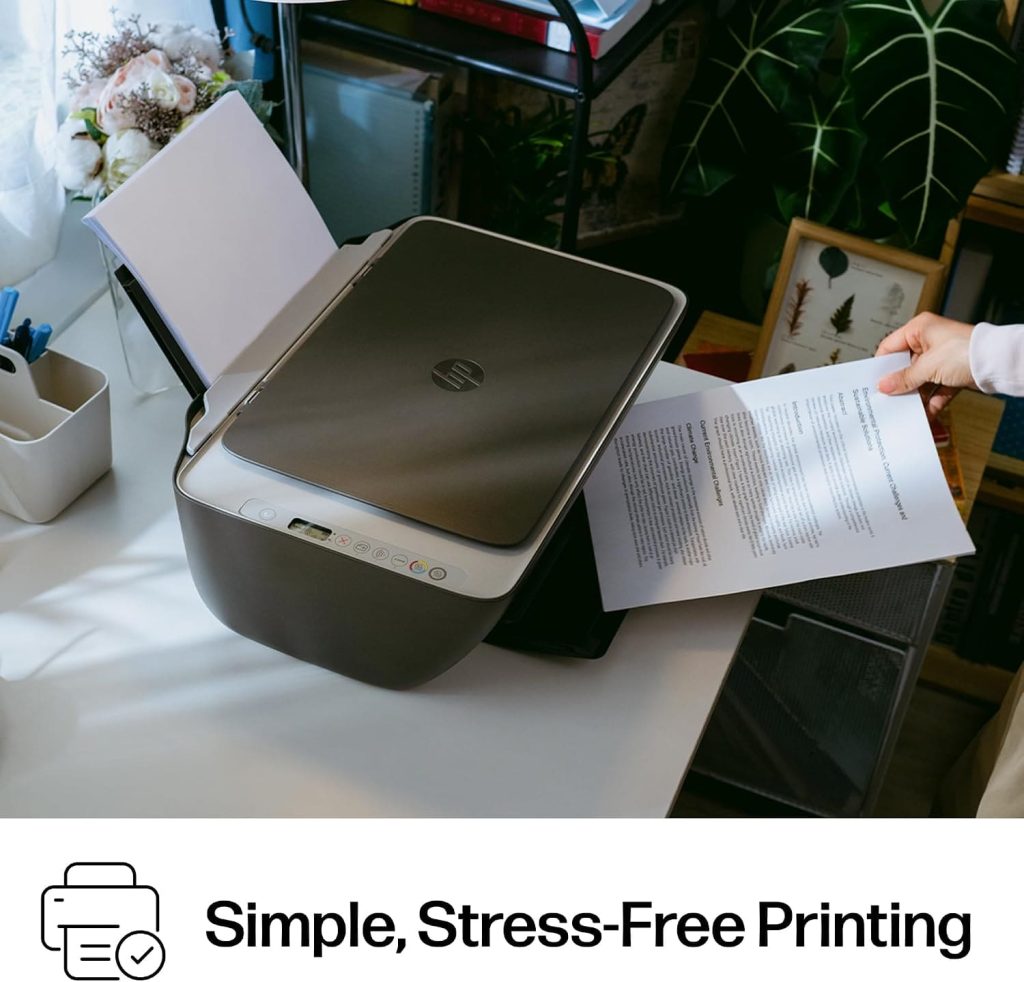
The HP DeskJet 2955 is mainly designed for home users who need a simple printer for everyday documents. It makes sense for students, families, remote workers, and anyone who occasionally needs to print letters, recipes, lists, or financial documents. The built-in scanner and copier are useful when you need more than printing. It is less suitable for people who regularly print large documents because the listed print speeds and 60-sheet input tray are focused on basic home use.
Buy this product from Amazon
Complete Specifications
| Feature | Details |
|---|---|
| Brand | HP |
| Model | HP DeskJet 2955 All-in-One |
| Model Number | A24HJA |
| Printer Type | Wireless All-in-One Color Inkjet |
| Printing Technology | HP Thermal Inkjet |
| Functions | Print, Scan, Copy, Fax via HP App |
| Output | Color |
| Black Print Speed | Up to 7.5 ppm |
| Color Print Speed | Up to 5.5 ppm |
| Input Tray | 60 sheets |
| Connectivity | Wi-Fi, USB, Wireless Direct |
| Mobile Printing | Yes |
| Apple AirPrint | Yes |
| Mopria | Yes |
| Special Features | Wireless, Mobile Printing, Instant Ink Eligible |
| Display | Icon LCD |
| Weight | 7.55 pounds |
| Design | Compact |
| Recycled Plastic | At least 70% |
| Certifications | ENERGY STAR, EPEAT |
| Ink Service | HP Instant Ink eligible |
| Trial | 3 months listed |
| Intended Use | Home / Basic Printing |
| Color | Cement Noir with Cement Accents |
What Stands Out About the DeskJet 2955
More Than Just a Printer
The first thing I notice about this model is that HP has focused on basic home convenience rather than high-volume printing.
It is an all-in-one machine.
That means one device can handle several common tasks.
Need to print a document? It can do that.
Need to make a copy? The copier is built in.
Need to scan a paper document? The scanner handles it.
The HP app also brings several functions to a smartphone.
For a home user, having these functions in one compact machine can be much more convenient than buying separate devices.
Wireless Printing Is a Major Advantage
One of the strongest features is wireless connectivity.
The printer supports Wi-Fi, wireless direct printing, Apple AirPrint, and Mopria.
This gives users several ways to send documents to the printer.
For example, someone can prepare a document on a phone or tablet and send it directly to the printer instead of transferring the file to a computer first.
That is particularly useful in a modern home where documents may be stored across phones, tablets, and laptops.
The printer also uses dual-band Wi-Fi, according to the supplied information.
HP says the connection can automatically detect and resolve certain connection problems.
That is useful because wireless printer setup can sometimes be frustrating for home users.

Buy this product from Amazon
Printing From a Phone
The HP app is another important part of this printer.
According to the supplied information, the app can be used for printing, scanning, copying, and faxing from a smartphone.
This reduces the need to sit at a computer whenever you want to handle a simple document.
Imagine receiving a document on your phone and needing a physical copy.
A mobile printing system can make that process much easier.
The same idea works for scanned documents. Instead of depending entirely on a computer interface, the phone becomes part of the workflow.
For basic home use, that kind of convenience can matter more than having extremely high print speeds.
Print Speed: Keep Your Expectations Realistic
7.5 ppm Black and 5.5 ppm Color
The listed maximum speed is up to 7.5 pages per minute for black printing and 5.5 pages per minute for color.
These numbers tell us something important about the printer.
It is not designed as a high-speed office machine.
It is aimed at smaller home jobs.
Printing a few pages for school, work, or household use should fit the purpose of the device.
But if you regularly print dozens or hundreds of pages, the slower speed can become noticeable.
This is one area where a larger office-oriented printer would likely make more sense.
The right question is therefore not whether the DeskJet 2955 is fast.
It is whether it is fast enough for your normal workload.
For occasional home printing, the answer may be yes.
Color Printing for Everyday Documents
The printer supports color output.
HP specifically positions it for documents such as recipes, letters, financial documents, and to-do lists.
That gives you a good idea of its intended role.
This is a practical home printer rather than a dedicated professional photo printer.
Someone looking for an easy way to print ordinary color documents may find the feature set suitable.
But buyers who need professional-level photo printing should look at printers specifically designed around photo output.
The 60-Sheet Input Tray
Fine for Small Jobs
The printer has a 60-sheet input tray.
For occasional home use, that can be enough.
You can load paper and handle normal small print jobs without constantly refilling the tray.
But the limitation becomes clearer with larger jobs.
If you are printing a long report or multiple documents, 60 sheets can disappear quickly.
This is another sign that the printer is designed for basic household workloads.
It is compact and convenient, but it is not built around large print batches.
Buy this product from Amazon
HP AI Print Formatting
A Different Kind of Convenience
The AI feature is one of the more modern parts of the DeskJet 2955.
The supplied description says HP AI can help optimize the formatting of web pages and emails.
The idea is simple.
Web pages often contain unnecessary menus, advertisements, or other content that you do not want on paper.
The AI feature is designed to remove unwanted content and improve the layout before printing.
That can help reduce wasted paper and avoid awkward print layouts.
This is especially useful for people who frequently print information directly from websites or emails.
Instead of accepting whatever layout appears on screen, the printer’s software attempts to create a cleaner printable version.
Icon LCD Control Panel
The printer uses an icon-based LCD.
That keeps the physical control panel relatively simple.
For a home printer, this can be a benefit because many users do not want to deal with a complicated screen and a long list of settings.
The controls are designed around common tasks.
Print.
Copy.
Scan.
Basic printer functions.
The simplicity fits the overall purpose of the machine.
Compact Home Design
Small-Home Friendly
The DeskJet 2955 is designed to fit into a home environment.
This matters because printers can quickly become annoying when they take up too much desk or shelf space.
At 7.55 pounds, the listed weight is also relatively manageable for a home printer.
The compact design makes it easier to place on a desk, small table, or other suitable workspace.
This is one of the areas where the product’s intended audience is very clear.
It is not trying to compete with large office printers.
It is designed to provide common printing functions without demanding a large amount of space.
Buy this product from Amazon
HP Instant Ink
Convenient, but Read the Terms
The printer includes a 3-month Instant Ink trial according to the supplied listing.
The basic idea is that ink can be automatically delivered before you run out.
For people who often forget to buy replacement ink, automatic delivery can be convenient.
However, there is an important point to remember.
The trial does not mean the service remains free permanently.
The listing states that a monthly fee applies after the first three months unless the subscription is cancelled.
So I would treat Instant Ink as an optional service rather than automatically counting it as part of the long-term printer cost.
Before buying, it is worth considering how much you normally print and whether a subscription fits your needs.
Sustainable Design
The printer is also positioned as a more sustainable product.
HP says the machine uses at least 70% recycled plastic.
It is also listed as ENERGY STAR and EPEAT certified.
These details may matter to buyers who want their electronics to include recycled materials and recognized environmental certifications.
It does not change the printer’s core functions, but it adds another factor to consider when comparing similar home printers.
My Overall View of the User Experience
If I look at the DeskJet 2955 from a normal home user’s point of view, its main strength is simplicity.
The product combines several useful functions in one machine.
Wireless printing means you are not tied to a USB cable.
Mobile support makes phone-based printing easier.
The scanner and copier expand its usefulness.
The compact body makes it easier to fit into a home.
The AI formatting feature adds another convenience for printing web content.
At the same time, the product has clear limits.
The print speeds are modest.
The input tray holds only 60 sheets.
And the Instant Ink trial changes into a paid subscription unless cancelled.
Those are not necessarily flaws for the intended customer. They simply show where this printer fits in the market.
HP DeskJet 2955 vs Other Printer Types
| Feature | HP DeskJet 2955 | Basic Single-Function Printer | Office Inkjet Printer |
|---|---|---|---|
| Printing | Yes | Yes | Yes |
| Scanning | Yes | Usually No | Often Yes |
| Copying | Yes | Usually No | Yes |
| Mobile Printing | Yes | Depends | Usually Yes |
| Wi-Fi | Yes | Depends | Yes |
| Black Speed | 7.5 ppm | Varies | Usually faster |
| Color Speed | 5.5 ppm | Varies | Usually faster |
| Input Tray | 60 sheets | Varies | Usually larger |
| Compact Design | Yes | Often Yes | Usually larger |
| Home Use | Excellent fit | Good | Depends |
| High-Volume Printing | Limited | Limited | Better |
| AI Print Formatting | Yes, listed | Usually No | Depends |
| Instant Ink | Eligible | Depends | Depends |
| Main Strength | All-in-one home convenience | Simple printing | Higher workload |
Buy this product from Amazon
Who Should Skip It?
I would look elsewhere if your main requirement is speed.
If you regularly print large batches, the 7.5 ppm black and 5.5 ppm color ratings may feel limiting.
I would also consider another type of printer if you need professional photo output or heavy office printing.
The DeskJet 2955 makes more sense when the goal is basic printing rather than maximum performance.
Final Verdict
The HP DeskJet 2955 is a compact home-focused all-in-one printer with a useful collection of everyday features.
Its biggest advantages are wireless printing, mobile support, color output, scanning, copying, compact construction, and simple controls.
The HP app makes the printer more useful for smartphone users, while the AI formatting feature is aimed at making web and email printing cleaner.
The main limitations are its modest printing speed and 60-sheet input capacity. The Instant Ink trial is also worth understanding because the service becomes paid after the trial period unless cancelled.
For students, families, remote workers, and casual home users, the overall feature set is well matched to basic printing needs.
For high-volume users, a faster office-focused model would be a better direction.
In short, the DeskJet 2955 is less about raw printing power and more about putting printing, scanning, copying, wireless connectivity, and mobile control into one compact home device.